Color Contrast Tool
Create color combos that look good, brand approved, and meet accessibility standards.
Summary
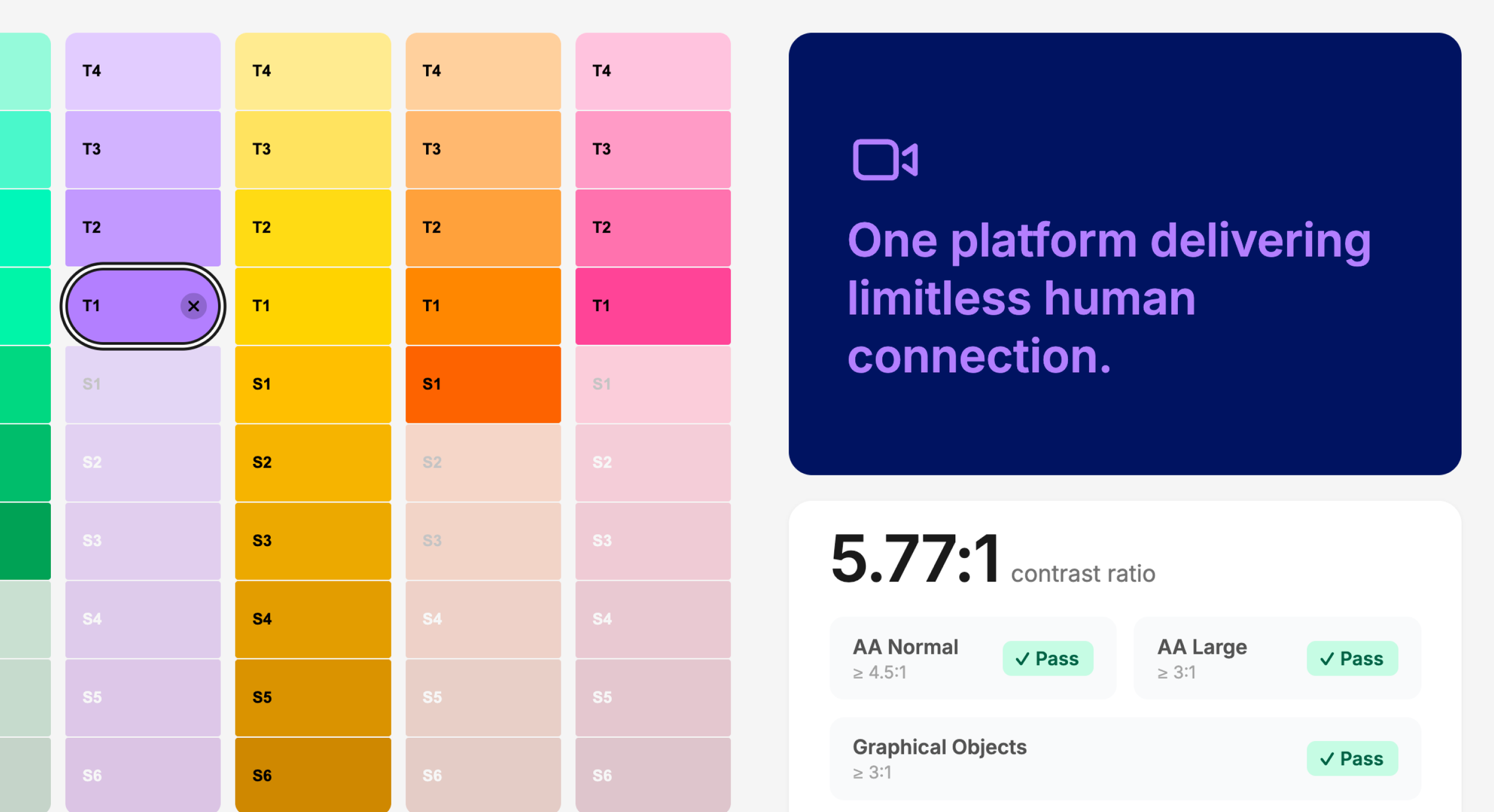
Traditional contrast tools rely on trial and error, slowing designers down as they test color combinations one by one. This tool flips that approach by filtering out anything that doesn’t meet accessibility standards upfront. Once you pick a background color, you only see options that work so you can move faster and stay consistent.
Info
Project / Color Contrast Tool
Company / Zoom
Role / UX/UI Designer
Duration / 2026
Tools / Figma & Cursor

Key Features
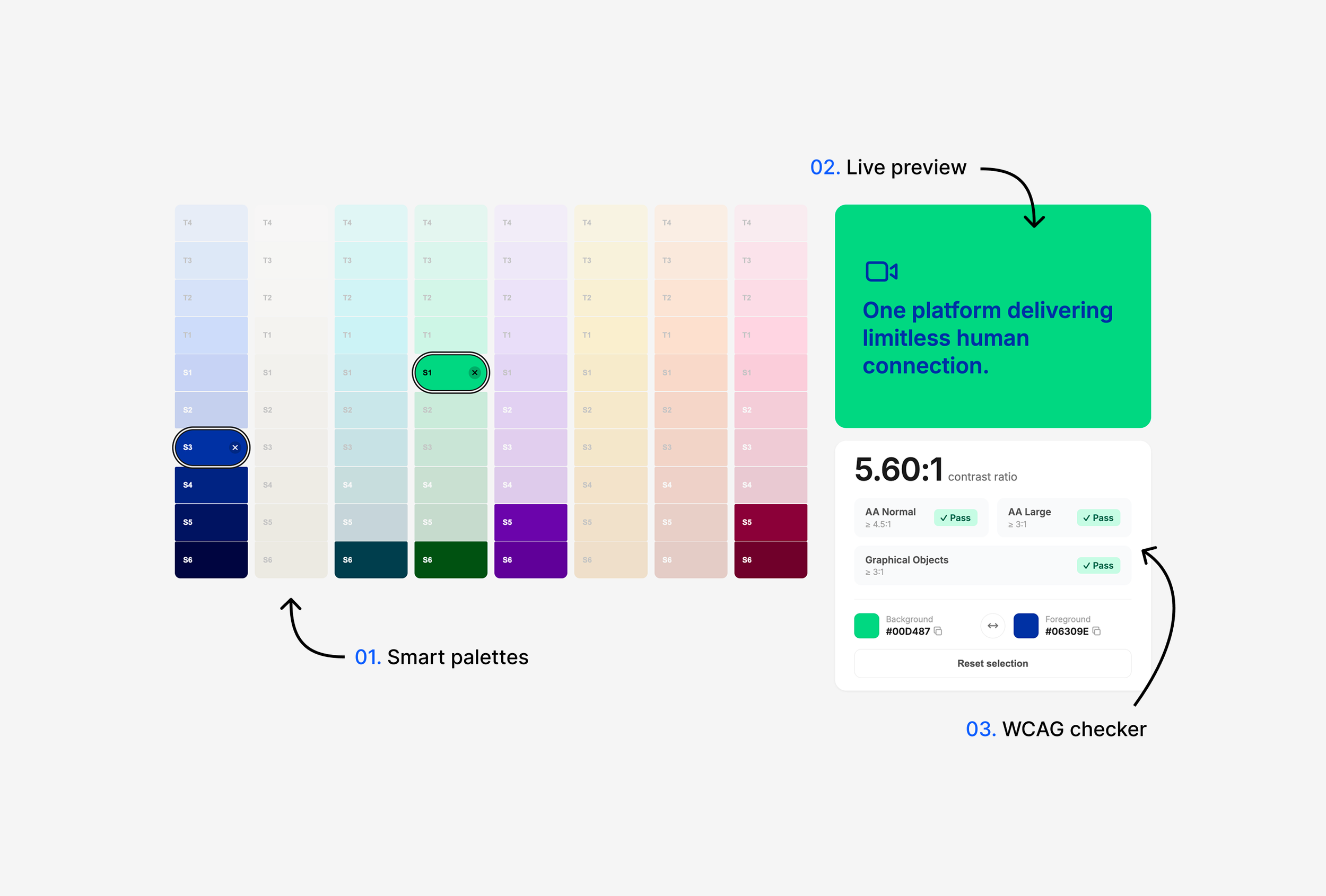
Smart color palettes: Automagically disables non-compliant colors once a background is chosen.
Live preview: Instantly see how your color combos work together.
WCAG checker: Real-time AA compliance checks to ensure accessibility.

See how it works
I built the prototype vibe coding in Cursor. Take a look at how the smart filtering and real-time previews work.